The Verdict
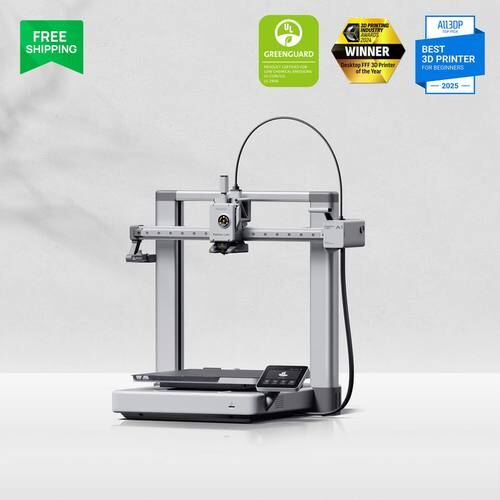
The A1 is Bambu's answer to “give me a normal-size printer at the lowest possible price,” and it delivers. It's essentially the A1 Mini scaled up to a proper 256×256×256mm bed, same 500mm/s speed, same reliability, same easy setup, just more room to print. At $299 it undercuts most CoreXY competitors while still carrying Bambu's ecosystem advantages: a genuinely good slicer, strong community support, and a filament sensor that actually works. It's not the fastest or most capable printer Bambu sells, but for the price it's hard to beat if you want a normal-size bed and don't care about brand loyalty.
As an Amazon Associate we earn from qualifying purchases.
Specs
| Price | $299 |
| Build Volume | 256×256×256mm |
| Frame Type | Bed Slinger |
| Max Speed | 500mm/s |
| Skill Level | Beginner |
| Materials | PLA, PETG, TPU |
| Enclosure | No |
| Multi-Color | No (see A1 Combo for AMS) |
| Maintenance | Moderate |
| Use Cases | Hobby, School |
| Environments | Bedroom/office, Classroom |
| Nozzle Temp | 300°C |
| Bed Temp | 100°C |
By the Numbers
76mm more build depth per axis than the A1 Mini for $80 more, a straightforward tradeoff of price for space.
$70 cheaper than Creality's Ender 3 V3 Plus despite matching or beating its speed and reliability reputation.
500mm/s max speed holds steady from the Mini up through the full-size A1, no speed penalty for the bigger bed.
Pros
- Full-size 256mm bed at a budget price. Most printers this cheap top out around 220mm.
- Bambu ecosystem reliability without paying CoreXY prices.
- Simple, beginner-proof setup with auto bed leveling and a well-documented slicer.
Cons
- No enclosure, limited to PLA, PETG, and TPU.
- Single color only unless you step up to the A1 Combo.
- Open-frame bed slinger design means more exposed moving parts than a CoreXY machine, worth knowing if pets or kids are nearby.
Who This Is For
The A1 is for beginners and budget-conscious hobbyists who want a proper full-size bed without stepping up to CoreXY pricing, classrooms buying multiple units, and anyone who just wants a printer that works without much fuss. It's also a solid pick for people who don't care about brand loyalty and just want the best specs for $299.
It's not for anyone who needs enclosed engineering materials like ABS or ASA, or anyone who wants multi-color out of the box, look at the A1 Combo for that, or a CoreXY Bambu printer like the P1S if you need an enclosure too.
Bambu Lab A1 vs. Creality SPARKX i7
The SPARKX i7 is Creality's answer to the A1, and it's not subtle about it, PrintMatch calls it “Creality's A1 Mini clone” for a reason, though it actually matches the A1's bigger 256mm-class bed. At $229 it undercuts the A1's $299 by $70 and adds PLA-CF and PETG-CF support the A1 lacks. What you give up is Bambu's more polished slicer and ecosystem, plus TPU support through its CFS is inconsistent per community reports. If brand ecosystem and reliability matter more than $70, get the A1. If raw value and CF filament support matter more, the i7 is worth a look.
Compare it yourself →Owner Reviews
FAQ
Does the Bambu Lab A1 have an enclosure?
No. It's an open-frame bed slinger limited to PLA, PETG, and TPU.
Can the A1 print multi-color?
Not out of the box. For multi-color, get the A1 Combo, which bundles the AMS Lite unit for $399.
Bambu Lab A1 vs. Creality SPARKX i7, which is the better value?
The i7 is $70 cheaper and adds PLA-CF/PETG-CF support, but the A1 has a more polished ecosystem and more consistent reliability. Budget-first buyers should look at the i7; ecosystem-first buyers should stick with the A1.